Draw Schedule Template: Free PDF, Excel and CSV
Late draw requests can stall the next phase. Use this draw schedule template to show completed work and the amount due. Start with Excel for the math. Use the PDF for a printable record and CSV for plain data.
By SimplyWise · Updated November 9, 2026 · 5 min read
Free downloads. Each includes the same fields and a worked example.
Try SimplyWise Cost Estimator free
SimplyWise Cost Estimator: 4.8 rating on the App Store (checked November 9, 2026).
At a glance
Track work first. Request payment next.
- Enter the agreed value for each work item.
- Update the total percent complete.
- Subtract prior gross requests.
- Show retainage before the net draw.
Example only: $600 gross, $60 held, $540 net. Confirm the lender’s form before filing.
What is a draw schedule?
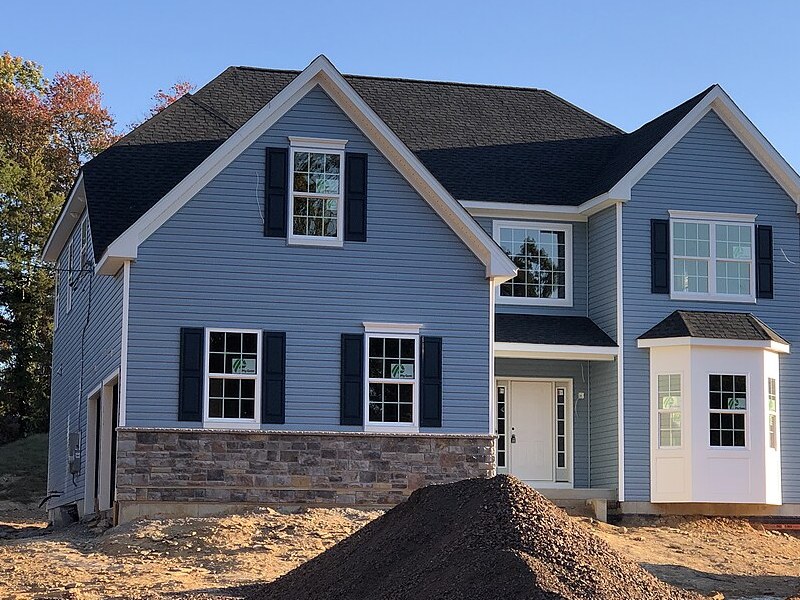
A draw schedule links progress payments to work milestones. A draw request asks for the next payment. Keep both tied to the agreed scope. See how a draw schedule works.
Project and work
Keep each work item tied to the job and draw number.
Agreed value
Record the budget cap and signed contract value.
Progress
Track the previous and current total percent complete.
Prior requests
Carry forward gross amounts already requested.
Retainage
Show the amount held back from this draw.
Review trail
Record inspection evidence and approval status.
Price the scope first with SimplyWise Cost Estimator. Then copy the agreed work values into your schedule.
Draw schedule or draw request?
Use this draw schedule template as a progress ledger. Set planned milestones in the contract or lender packet.
| Document | What it records |
|---|---|
| Schedule | The work that triggers each planned payment. |
| Request | Completed work, prior draws and the amount now due. |
| Approval | The reviewer’s decision and any revised amount. |
Keep the scope beside the schedule. Our construction proposal template helps describe that work.
How do you track percent complete?
Set the agreed work values
Match each work item to the approved scope. Use a separate record and keep its name stable.
Check progress on site
Enter total completion, not just this period’s progress. Keep photos and inspection notes with the request.
Subtract earlier requests
Gross earned to date equals eligible value times total completion. Subtract gross previously requested to find this draw.
Review the net amount
Subtract this draw’s retainage from the gross draw. Ask the reviewer to confirm the amount before release.
Keep withheld funds visible. Read how retainage works before setting the rate. Keep the approved budget in your job budget records.
Worked example: two drywall draws
This draw schedule template uses the figures from HUD’s published 2021 draw-request form. These are teaching values, not market prices. The form lists a $1,500 budget, a $1,200 contract and 50% completion. Its gross request is $600.
| Example draw | Total complete | Gross this draw | Net this draw |
|---|---|---|---|
| First | 50% | $600 | $540 |
| Second | 100% | $600 | $540 |
The second row extends that example to completion. Both rows use the form’s 10% holdback for illustration. Each holds $60. Together, they leave $120 held back. Release that amount separately under the agreed terms.
Before you send the next request
Match the completion figure to work you can show on site. A delivery receipt alone does not prove installation. If the reviewer cuts a prior request, reconcile that change before you carry the figure forward. Save a dated copy of each request and its approval. This keeps a revised row from hiding what you billed before.
The second request subtracts $600 gross previously requested. Do not subtract the $540 net payment. That would bill withheld money again. Construction billing tools can help organize your payment records.
What does the draw schedule template include?
All formats carry these exact fields, in this order:
- Project
- Draw number
- Request date
- Work item
- Budget cap
- Contract value
- Previous completion (%)
- Current completion (%)
- Eligible value
- Gross earned to date
- Gross previously requested
- Gross this draw
- Retainage rate (%)
- Retainage this draw
- Net this draw
- Evidence and status
Choose the format
The PDF includes a fillable blank form and two example pages. Excel has Template and Worked example sheets with formulas. CSV contains the example rows as flat values. Its percentages use decimals, so 0.5 means 50%. Clear example values before entering a real job. Copy the Template sheet for more work items. Keep each item’s prior requests together.
Excel uses the lower budget cap or contract value as eligible value. Enter your lender’s approved basis. Use a zero retainage rate only when the agreed terms call for none.
Attach the lender’s required forms and evidence. Check its lien waiver requirements before submitting. Build the original quote with SimplyWise Cost Estimator.
The free files and SimplyWise Cost Estimator
Track the draw
Use the free files to check progress and request amounts. Keep the lender’s release decision in your records.
Price the scope
SimplyWise Cost Estimator turns a photo into an itemized estimate in about 6 seconds.
Send a professional, branded quote the client signs to approve.
$29.99 a month, $239.99 a year (about $20 a month on annual), 7-day free trial.
Questions before your next draw
How many draws should my job have?
Set the draw count with the lender and owner before work starts. Match each request to a clear work milestone. This example does not set a standard draw count.
What does a lender check before releasing a draw?
Ask for the lender’s current checklist. HUD’s published example includes inspection, prior draw totals and lender adjustments. Keep the requested amount separate from the amount the lender approves.
Can I bill materials that are still on site?
Check the loan’s rules first. HUD’s published form excludes materials that have not been acceptably installed. Do not assume another lender uses the same rule.
Does this draw schedule template replace the lender’s form?
No. Use it to organize the figures and evidence. Submit the lender’s required form and supporting documents. The files do not approve or release funds.
Keep reading
Sources checked November 9, 2026
- HUD draw-request form, 2021 edition: fields and worked arithmetic. Confirm current program rules with the lender.
Product facts
- SimplyWise pricing, read November 4, 2026. Product claims follow the verified SimplyWise facts.
Price the work before you plan the draws
Build the quote, review each line, then set the agreed work values. SimplyWise Cost Estimator is free to try.