Kitchen Remodel · Design
Kitchen Visualizer: See Your New Kitchen, Then Price It
A kitchen visualizer is a tool that shows new cabinets, counters, floors or paint on a kitchen picture. Some call it a kitchen remodel visualizer. To use one, upload a photo of your kitchen, try finishes, and save the look you like. Then price that look before you call a contractor.
Add SimplyWise as a preferred source
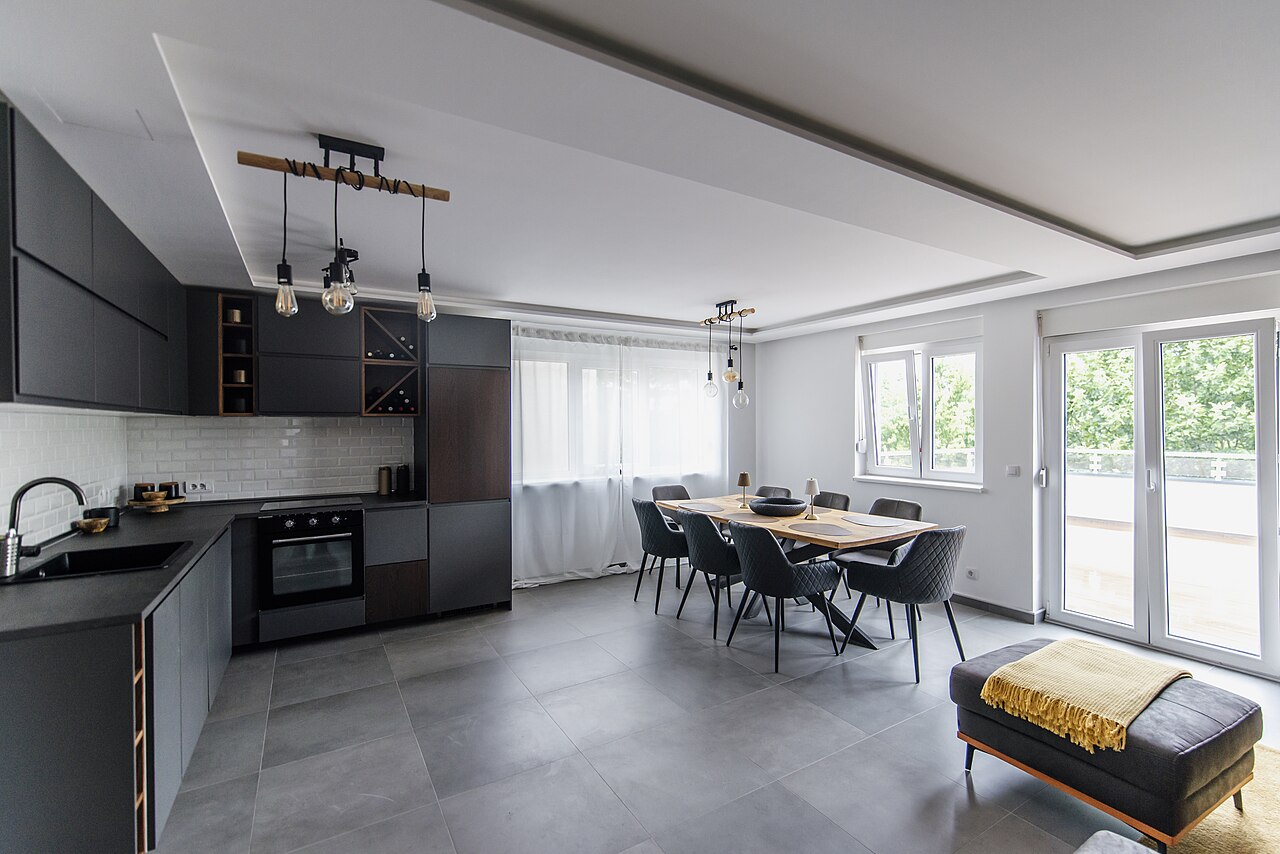
What a kitchen visualizer can and cannot show
A kitchen visualizer swaps finishes on a picture of a kitchen. You pick a door style, a finish or a counter, and the picture changes.
Some start from a sample kitchen, like KraftMaid. Others, like RTA Cabinet Store, work from your photo of the room.
What it shows well
- Color: how a paint or stain finish looks across a whole room.
- Door style: a plain flat door next to a door with a framed center panel.
- Counter and backsplash: how they look next to the cabinet finish.
- Contrast: whether light wall cabinets over dark base cabinets look right to you.
What it cannot tell you
- Exact cabinet sizes: a picture does not check whether a cabinet fits the wall, window or appliance gap. You still measure.
- Real material color: a screen cannot match a stain sample in your kitchen’s light. RTA Cabinet Store says its pictures may not be fully accurate.
- Plumbing and electrical scope: moving a sink, range or outlet changes the job. The picture hides what sits behind the walls.
- The price: a look on screen is not a quote for the job.
How do you use a kitchen visualizer before you call a contractor?
If you can’t picture the finished room, the decision stalls. A picture you made turns a vague wish into a choice you can price.
Before you start
- Shoot the photo right. RTA Cabinet Store’s tips: pick the angle that shows the most surfaces. Turn on all lights, open the blinds and clear the counters.
- Keep it to two or three looks. Fewer choices make a faster decision.
- Save as you go. Save each look before you change it. KraftMaid and RTA Cabinet Store both ask you to sign in to save designs.
- Know what it cannot show. The picture is not a measurement or a price.
Which kitchen visualizer should you try?
These tools showed up in the top US results for kitchen visualizer on November 17, 2026. We read each page that day and have not tested the tools.
| Tool | Starts from | What you can change | To save a look |
|---|---|---|---|
| KraftMaid | A sample kitchen like yours | Door style, finish, hardware, counters, backsplash, flooring | Sign in |
| RTA Cabinet Store | Your room photo | A kitchen cabinet visualizer: a style and cabinets from its catalog. Can take 2 to 3 minutes | Log in |
| MSI | One of three kitchen layouts | Cabinet colors, tile backsplash, counters, floor tile | Page does not say |
| UltraCraft | A layout you choose | Door style, finish, floor, counter, backsplash, wall paint | Page does not say |
Lowe’s, Diamond at Lowe’s, Menards and Thomasville Cabinetry also offer tools.
What should you test first in a kitchen visualizer?
Test in order of size. Start with cabinets, then the counter, then the floor and walls.
Cabinets first
Cabinets cover the most wall space, so their color sets the mood. Try two or three colors on the same door style.
Countertop second
Pick the counter to go with the cabinet color. A busy stone next to a busy cabinet color can feel loud.
Then get real samples. KraftMaid and RTA Cabinet Store both list cabinet door samples. Set a door beside a counter sample in the kitchen’s own light.
Floor and walls last
If the floor stays, test every look against it. If it goes, pick it after the cabinets and counter.
From look to budget: price your kitchen
A look you love is half the plan. The other half is a price you trust.
Our kitchen remodel cost guide covers what contractors charge. For your kitchen, price the look you picked in four steps.
-
Turn the picture into a scope
List every change in the saved look: doors, finish, counter, backsplash, floor and paint. Add the work the picture hides, like a moved sink or new circuits.
-
Measure and look behind things
Measure every wall, window and appliance gap. Look under the sink and at the electrical panel before you commit to a number.
-
Price materials and labor line by line
Price the exact products you picked, not a stand-in. Add a labor line for each trade.
-
Keep the price next to the picture
Keep the estimate beside the saved look. If it runs high, price a second look from the same photo. Then compare contractor quotes against it.
Price the look in SimplyWise Cost Estimator →
Which SimplyWise app does what?
- SimplyWise Visualizer: an iPhone app. It turns one photo of a room into a finished design made from real products, priced against your budget, in about a minute and a half. It lists every product with the retailer, the quantity and the price. Products include flooring, paint, lighting, furniture, rugs and fixtures. Kitchen and bath pros use it to show a client what a budget buys. Designs are illustrations, not a quote. It asks before your first photo is sent to a third-party service.
- SimplyWise Cost Estimator: our construction estimate maker. It turns a photo into an itemized estimate in about 6 seconds.
Keep reading
- Kitchen Remodel Cost: What Contractors Charge in 2026
- Cost to Install Kitchen Cabinets
- Best Estimating App for Kitchen Remodeling
- SimplyWise Cost Estimator FAQs
Sources
SimplyWise: Visualizer on the App Store, read November 18, 2026
Maker pages read November 17, 2026
Your kitchen visualizer questions
Is there a kitchen visualizer that uses your own photo?
Yes. RTA Cabinet Store’s kitchen visualizer asks you to upload a room photo. KraftMaid starts from a sample kitchen instead.
How do you see new cabinet colors in a kitchen before buying?
Use a kitchen cabinet color visualizer, like KraftMaid’s, to try finishes across a whole room. Then get a sample door and view it in your kitchen’s own light, morning and night.
Is there an app that redesigns your kitchen from a picture?
SimplyWise Visualizer, our iPhone app, turns one photo of a room into a finished design made from real, priced products. Its products include flooring, paint, lighting and fixtures. For cabinets, RTA Cabinet Store’s visualizer works from your photo.
How much does a kitchen remodel cost?
It depends on the size, the materials and labor where you live. Our kitchen remodel cost guide covers what contractors charge.
Price the kitchen look you picked.
Take the look you chose and build the estimate in SimplyWise Cost Estimator.