Contractor Websites · Lead Generation
How to Build a Contractor Website That Actually Gets You Leads
Your website should be your best salesperson. Here is how to build one that converts visitors into booked consultations.
In a hurry? Price a job from a photo in about six seconds.

Most Contractor Websites Are Expensive Business Cards
You spent $2,000 to $5,000 on a website. It has your logo, a stock photo of a hammer, a paragraph that says “quality craftsmanship since 2012,” and a contact page with a form nobody fills out. Sound familiar?
That is the reality for most contractors. The site looks fine. It loads. It exists. But it does not do anything. It does not generate calls. It does not book estimates. It does not bring in a single lead that would not have found you through word of mouth anyway.
The problem is not that you have a website. The problem is that your website was built to look like a brochure instead of being built to convert visitors into paying clients. There is a massive difference between a site that says “we do good work” and a site that says “here is exactly what we do, here is proof, and here is how to hire us right now.”
The good news: fixing this does not require a complete rebuild. It requires understanding what actually makes a contractor website generate leads, and then making targeted changes to the pages you already have. That is what this guide covers, page by page, element by element.
THE REALITY
A contractor website that generates zero leads is not a website. It is a digital business card that cost you thousands of dollars. The bar is low. Most of your competitors have the same problem. A few smart changes can put you miles ahead.
The 5 Pages Every Contractor Website Needs

Forget the 20-page sitemap your web designer proposed. Most contractor websites only need five pages to generate consistent leads. Every additional page should earn its place by serving a specific purpose. Here are the five that matter.
1. Homepage
Your homepage is not an “about us” page. It is a landing page. Its only job is to answer three questions in under five seconds: what do you do, where do you do it, and how does someone hire you. Everything else is secondary.
The homepage should include your strongest project photo or video at the top, a clear headline that states your trade and service area, a visible phone number, and a call-to-action button that says something like “Get a Free Estimate” or “Schedule a Consultation.” Below the fold, add a few testimonials, a brief services overview, and links to your portfolio.
2. Services page
List every service you offer with a short description of each. Do not lump everything into one paragraph. Break services into individual sections or, even better, create a dedicated sub-page for each major service. “Kitchen Remodeling in Dallas” as its own page will rank better in search results than a generic services page that mentions kitchens once.
For each service, include what is involved, typical project timelines, and what the client can expect from the process. This builds confidence before the first phone call.
3. Portfolio page
This is your proof page. Before and after photos, project descriptions, and client testimonials tied to specific projects. We will go deeper on portfolio strategy in the next section, but the key point is this: your portfolio page will often become one of the most important pages on your site after the homepage. Invest in it accordingly.
4. About page
People hire people, not companies. Your about page should feature photos of you and your team, your story, your licenses and certifications, and any professional affiliations. Keep it personal and real. A photo of you on a job site is worth more than a stock photo of a handshake.
5. Contact page
This page has one job: make it as easy as possible for someone to reach you. Phone number, email address, a short contact form, your service area, and your business hours. If you offer free estimates, say it here in bold. We will cover what makes a contact form actually convert later in this guide.
THE RULE
Every page on your website should have a clear purpose and a clear next step for the visitor. If a page does not help someone decide to hire you or make it easier for them to reach you, question whether it needs to exist.
Above the Fold: What Visitors Need to See in 3 Seconds
“Above the fold” means the part of your website visitors see before scrolling. On a phone, that is roughly the top 600 pixels. On a laptop, the top 800 or so. This small rectangle of screen real estate determines whether someone stays or hits the back button.
Research on first impressions found that people can form an opinion about a website in about 50 milliseconds. For contractor sites, the three things that must be immediately visible are:
- What you do. “Licensed General Contractor” or “Full-Service Roofing” or “Kitchen and Bath Remodeling.” Not a clever tagline. Not “Building Dreams Since 2015.” A clear statement of your trade.
- Where you work. “Serving the Greater Austin Area” or “Dallas-Fort Worth Residential Contractor.” Location is everything in contracting. If a visitor cannot tell within three seconds whether you work in their area, they will leave.
- How to contact you. A phone number and a “Get a Free Estimate” button. Both should be visible without scrolling. The phone number should be clickable on mobile. The button should stand out from the background with a contrasting color.
What to remove from above the fold
Sliders and carousels. Nobody waits to watch five slides rotate. Pick your single best photo and commit to it. Remove auto-playing videos that slow down load time. Remove paragraphs of text that nobody reads before scrolling. Remove “Welcome to our website” messages. Nobody cares. They want to know if you can fix their kitchen.
The hero image matters
Your hero image, the large photo at the top of the homepage, should be a completed project that represents your best work. Not a stock photo. Not your logo on a white background. A real project that a potential client would look at and think “I want that.” Compress the image so it loads fast, but keep it sharp enough to impress.
Try SimplyWise Cost Estimator free before your next bid
THE TEST
Pull up your website on your phone. Set a three-second timer. Can you identify the trade, the location, and the way to get in touch before the timer runs out? If not, your above-the-fold section needs work. Ask someone who has never seen your site to try the same test.
Portfolio and Project Galleries That Sell for You
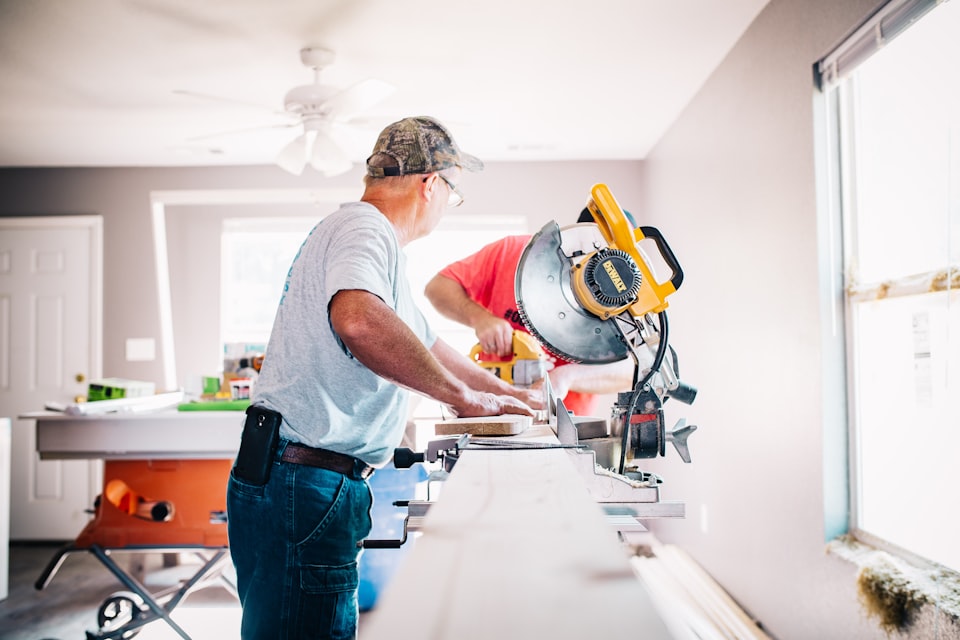
Your portfolio is the most important sales tool on your website. It is also the part most contractors get wrong. A grid of random photos with no context is not a portfolio. It is a photo dump. Here is how to build a portfolio that actually converts browsers into callers.
Structure projects as case studies
Each project in your portfolio should tell a mini story. Include:
- Before photos. Show the starting condition. The ugly kitchen, the crumbling deck, the damaged roof. This sets the stage for the transformation.
- Process photos. Two or three shots showing work in progress. Framing, tile layout, electrical rough-in. These demonstrate competence and give potential clients a window into what the project actually involves.
- After photos. The glamour shots. Clean, well-lit, styled if possible. Multiple angles. These are the photos that make someone pick up the phone.
- Project description. Two to three sentences covering the scope, the timeline, and any challenges you solved. “Complete kitchen remodel in a 1960s ranch home. Removed a load-bearing wall to open the floor plan, installed custom cabinetry, and finished in six weeks.” That is all it takes.
- Client testimonial. If the client gave you a review or a kind word, attach it to the project. A testimonial paired with photos of the actual work is more persuasive than either one alone.
Photo quality tips
You do not need a professional photographer for every project, but you do need to follow a few rules. Shoot in natural light whenever possible. Clean the space before taking “after” photos. Use landscape orientation for consistency. Stand in the same spot for before and after shots so the comparison is obvious. Wipe your camera lens. Seriously, that one tip alone will improve half the photos contractors take.
Organize by service type
If you do multiple types of work, organize your portfolio into categories. Kitchens, bathrooms, decks, additions, whole-house remodels. Visitors who want a bathroom remodel should not have to scroll through 30 deck photos to find what they are looking for. Let people filter or click directly into the category that matches their project.
PRO TIP
Make it a habit to photograph every project at three stages: before, during, and after. Keep a shared photo album on your phone dedicated to job site photos. After six months, you will have enough material to build a portfolio that sells around the clock.
Reviews and Social Proof on Your Website
Reviews should change how you think about your website. For contractors, where projects often involve serious money and trust, social proof is not optional. It is the entire game.
Embed your Google reviews
If you have strong Google reviews, embed them directly on your website. Several free and paid widgets let you pull in your Google reviews automatically so they stay current. Place a review section on your homepage with three to five of your best reviews, then add a dedicated testimonials page with the full collection.
The advantage of embedding Google reviews over manually copying and pasting testimonials is credibility. Visitors can see the reviewer’s name, the star rating, and the Google attribution. That is harder to fake and more trustworthy than an anonymous quote on a white background.
Types of social proof that work for contractors
- Google and Yelp reviews. Embedded or linked. The more specific the review, mentioning the type of work, the timeline, and the experience, the better.
- Star ratings and review count. “4.8 stars from 127 reviews” next to your company name on the homepage builds instant credibility.
- Logos and badges. Licensed, bonded, insured. BBB accredited. Angi certified. HomeAdvisor screened. Display these as small logos in your footer or on your about page.
- Video testimonials. Even a 30-second phone video of a happy client standing in their new kitchen is more persuasive than a paragraph of text. Ask your best clients if they would be willing to record a quick clip.
- Project count. “Over 500 projects completed since 2015” or “200+ five-star reviews” are powerful trust signals. Use real numbers.
Where to place social proof
Do not bury all your reviews on a testimonials page that nobody visits. Spread social proof throughout your site. A testimonial on the homepage. A review snippet on each service page. Star ratings in the header. A “trusted by” section with logos. The goal is to make trust signals unavoidable no matter which page someone lands on.
THE BOTTOM LINE
Reviews are the most underused asset on contractor websites. You already earned them. Now put them to work. Every page a visitor lands on should include at least one piece of social proof.
Mobile Optimization Is Not Optional

Much of the traffic to local contractor websites comes from mobile devices. That means many people who will ever visit your site are looking at it on a phone screen. If your website does not work flawlessly on mobile, you are losing potential leads before they even see your work.
What mobile-friendly actually means
- Text is readable without zooming. If someone has to pinch and zoom to read your service descriptions, the site is not mobile-friendly. Font sizes should be at least 16 pixels for body text.
- Buttons are easy to tap. Tiny links that require surgical precision to tap on a phone screen will cost you leads. Buttons should be large enough to tap accurately, with enough spacing between them so people do not accidentally tap the wrong one.
- The phone number is clickable. When someone taps your phone number on mobile, it should open their dialer. This sounds obvious, but a surprising number of contractor websites display phone numbers as images or non-clickable text.
- Photos load fast. Large, uncompressed images are the number one reason contractor websites load slowly on mobile. Compress every image on your site. Aim for under 200 KB per image without sacrificing visible quality.
- Forms are short and finger-friendly. Nobody wants to fill out a 10-field form on a phone. Three to four fields maximum. Each field should be tall enough to tap without frustration.
Test it yourself
Open your website on your phone right now. Try to navigate from the homepage to a project in your portfolio. Try to find your phone number and tap it to call. Try to fill out your contact form. Time yourself. If any of those tasks take more than 10 seconds or cause frustration, your mobile experience needs work.
Google also offers a free tool at pagespeed.web.dev that will score your mobile performance and tell you exactly what to fix. Many contractor websites leave easy performance improvements on the table, so even modest improvements can put you ahead of slower competitors.
THE NUMBERS
Google has reported that 53% of mobile site visits are abandoned if pages take longer than three seconds to load. Speed is not a technical detail. It is a business decision.
SEO Basics for Contractor Websites

SEO stands for search engine optimization. It is the practice of making your website show up when people search for contractors in your area on Google. You do not need to become an SEO expert. You need to get a handful of fundamentals right. That alone can put you ahead of competitors who ignore local search.
Title tags and meta descriptions
Every page on your site has a title tag, the text that appears in the browser tab and in Google search results, and a meta description, the two lines of text below the title in search results. Most contractor websites leave these as defaults like “Home” or “Services” or let the website builder auto-generate them.
Instead, write title tags that include your trade and location. “Kitchen Remodeling Contractor in Austin TX” will outperform “Our Services” every single time. Keep title tags under 60 characters so they do not get cut off in search results. Meta descriptions should be 150 to 160 characters and include a reason to click, like “Free estimates. Licensed and insured. See our latest projects.”
Local keywords throughout your content
Naturally mention your city, region, and service area throughout your website content. Not stuffed into every sentence, but woven into headings, service descriptions, and project write-ups. “We recently completed a full bathroom remodel for a homeowner in Round Rock” is natural. “Best contractor Austin TX Austin contractor services Austin” is spam and can hurt the page.
Google Business Profile link
Your Google Business Profile and your website should point to each other. Make sure your Google Business Profile links to your website and your website includes consistent name, address, and phone number information. This consistency helps visitors confirm they found the right business.
Individual service and location pages
Instead of listing all your services on one page, create individual pages for each major service. “Deck Building in Dallas” as its own page will rank for that specific search far better than a general services page. If you serve multiple cities, consider location-specific pages as well. This is one of the highest-impact SEO tactics for local contractors.
Fast loading speed
Google’s search guidance includes page experience and performance signals. Compress images, minimize plugins, and choose quality hosting. Every second of load time you shave off can improve both the visitor experience and the chance that someone stays long enough to contact you.
THE SHORTCUT
If you only do three SEO things: write location-specific title tags for every page, claim and optimize your Google Business Profile, and create individual pages for your top services. Those three actions matter more than any SEO plugin or audit tool.
Turn the next website lead into a quote with SimplyWise Cost Estimator, free to try
The Contact Form That Actually Converts
Most contractor websites have a contact form that nobody fills out. The form asks for name, email, phone, address, project type, project description, budget range, timeline, how they heard about you, and a CAPTCHA. By field four, the visitor has already hit the back button and called your competitor who had a phone number in the header.
Keep it brutally short
The ideal contractor contact form has three to four fields:
- Name. First name is enough. You do not need first and last in separate fields.
- Phone number. This is how you will actually reach them. Make it required.
- Project description. One open text field. “Tell us about your project” with a text box big enough for two to three sentences. That is all you need to start the conversation.
- Email, optional. Mark it as optional. Some people prefer email follow-up, but requiring it adds friction for the people who just want a call back.
That is it. You will get the address, budget, and timeline during the first phone call. The form’s only job is to start the conversation, not to qualify the lead.
Always offer a phone option
Not everyone wants to fill out a form. Many people, especially older homeowners and busy property managers, prefer to just call. Display your phone number prominently next to the contact form. On mobile, make it a tap-to-call button. The message should be clear: “Prefer to call? Reach us directly at (555) 123-4567.”
Set expectations for response time
Add a line below the submit button that says something like “We respond to every inquiry within 2 business hours” or “Expect a call back today.” This does two things. It reassures the visitor that filling out the form is not a waste of time, and it holds you accountable to actually following up fast. Speed to lead matters, especially when the visitor is asking multiple contractors for estimates.
Confirmation matters
After someone submits the form, show a clear confirmation message. “Thank you. We received your message and will call you within 2 hours.” Do not redirect to the homepage. Do not show a generic “form submitted” message. Confirm what they sent, confirm what happens next, and give them your phone number one more time in case they want to call instead of waiting.
THE DATA
Reducing a long contact form to the few fields needed for a first conversation can improve submissions. Every field you add is a speed bump between a potential client and your phone ringing. Remove everything that is not absolutely necessary to start the conversation.
Keep Reading
- Local SEO Tips for General Contractors: The complete local SEO playbook to dominate search results in your market.
- Google Business Profile Setup for Contractors: The free tool that drives more local leads than any paid platform. Here is how to set it up right.
- 20 Marketing Strategies for Contractors: The complete marketing toolkit for contractors who want to stop relying on word of mouth alone.
Sources
- Behaviour & Information Technology, Attention Web Designers: You Have 50 Milliseconds to Make a Good First Impression (study supporting the fast first-impression claim).
- Think with Google, Find Out How You Stack Up to New Industry Benchmarks for Mobile Page Speed (mobile abandonment benchmark for pages taking longer than three seconds).
- Google Search Central, Understanding Page Experience in Google Search Results (Google guidance on page experience and search).
- Google Business Profile Help, Edit Your Business Profile (primary Google help for profile updates and business information).
- W3C Web Content Accessibility Guidelines, Target Size (tap target sizing guidance for clickable controls).
Frequently Asked Questions

Do I need a custom website or can I use a website builder?
A website builder works perfectly fine for most contractors. What matters is the content, structure, and speed of your site, not whether a developer hand-coded it. A well-built site on any major platform will outperform a custom-coded site with bad content every time. Focus your energy on great photos, clear service descriptions, and a fast-loading mobile experience.
How many pages does my contractor website actually need?
Start with five core pages: homepage, services, portfolio, about, and contact. That covers everything a potential client needs to decide whether to reach out. You can add individual service pages, blog posts, and location pages over time, but those five pages are your foundation. A focused five-page site that converts beats a 50-page site that confuses visitors.
How important are before and after photos on a contractor website?
Extremely important. Before and after photos are the single most persuasive element on a contractor website. They show the transformation you deliver in a way that words cannot match. Homeowners can use portfolio and gallery pages to judge whether your work matches the project they have in mind. If you only improve one thing on your site this month, add five strong before and after photo sets with descriptions of the work.
Should I put my prices on my website?
It depends on your business model. If you offer standardized services with predictable pricing, showing starting prices or price ranges can filter out tire-kickers and attract serious buyers. If every job is custom, listing specific prices can backfire because visitors will anchor on the lowest number. A middle ground that works well is including phrases like “projects typically start at” or “most kitchen remodels in our area range from X to Y” to set expectations without boxing yourself in.
How do I get my contractor website to show up on Google?
Focus on three things. First, claim and optimize your Google Business Profile and link it to your website. Second, use location-specific keywords naturally throughout your site, especially in page titles, headings, and the first paragraph of each page. Third, make sure your name, address, and phone number are consistent everywhere online. These three steps cover the basics for local contractor SEO.
How often should I update my contractor website?
At minimum, add new portfolio photos monthly and review your content quarterly. Outdated websites with copyright dates from three years ago and empty blog sections signal to visitors that your business might not be active. Even small updates like adding a new project photo, updating your service areas, or posting a short blog article signal freshness to potential clients.
Respond with a professional estimate while the lead is warm.
When your contractor website starts generating leads, SimplyWise Cost Estimator can turn a photo into an itemized estimate in about 6 seconds. It is free to try with a 7-day free trial.