Google Business Profile · Setup Guide
Google Business Profile for Contractors: Setup Guide (2026)
A plain setup guide to the Google Business Profile for contractors: claim it, verify it, pick the right categories, and turn local map leads into fast quotes. Sourced from Google’s own support pages.
In a hurry? Price a job from a photo in about six seconds.
Why a Google Business Profile for contractors beats a website
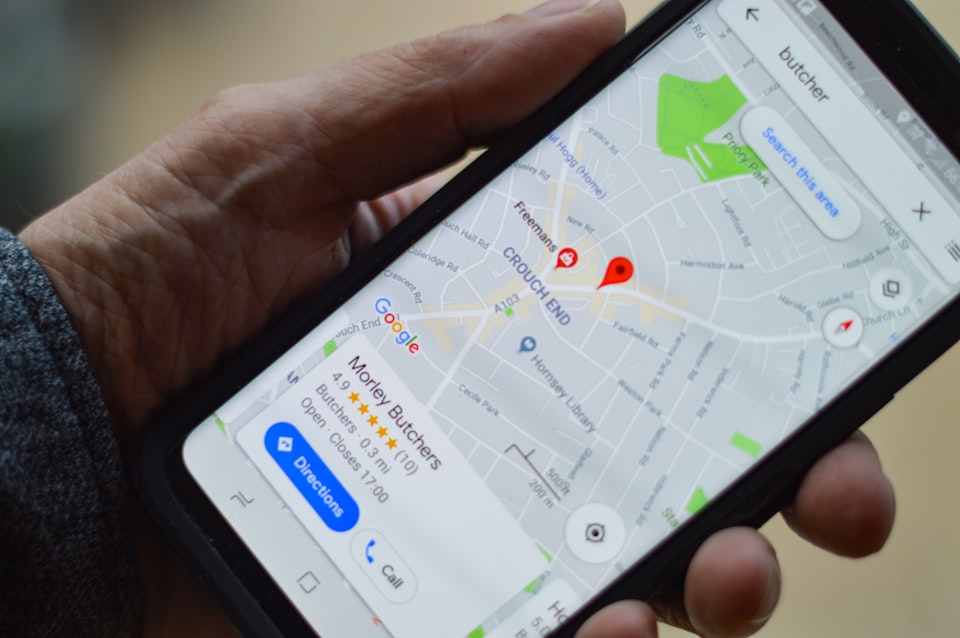
A Google Business Profile for contractors is the free listing that puts you on the map. When someone searches “plumber near me” or “roofing contractor Dallas,” Google shows the local map pack first: three business listings at the top. Many searchers call one of those three and never scroll to the website results below.
A custom website can cost thousands and still barely ring the phone if it never ranks. The free profile is what puts you in the map pack, where local callers actually look, and most contractors can claim and set one up in about an hour. The listing costs nothing to run, because Google earns from ads, not from your profile.
The contractors who win those calls answer with a real number first. The SimplyWise Cost Estimator turns a job photo into an itemized estimate in about 6 seconds, so you reply with actual pricing before a competitor finishes reading the message. Set the profile up right, then quote fast. Here is the build in eight steps.
The 8 steps to a Google Business Profile that brings leads
-
Claim or create your profile
Go to business.google.com and search your name first. If a listing already exists from a past owner or public records, claim it rather than build a duplicate. Enter your exact legal name, and never stuff keywords into it, because Google suspends listings that do.
-
Set your business type and service area
Most contractors are service-area businesses: you drive to the customer, so no storefront is needed. Set the cities or zip codes you cover. Google allows up to 20 service areas within about two hours of driving time, and you can leave your street address off.
-
Choose your categories
Your primary category drives which searches Google matches you to, so pick the most specific one that fits. A remodeler should choose “Remodeler,” not “General Contractor.” You can add more categories for other real services you offer. Unrelated ones only dilute your ranking.
-
Verify your business
Google confirms you are real before the profile shows. Verify by video recording, phone or text code, email, a live video call, or a mailed code. A mailed code usually arrives within 14 days and expires after 30, and a verification review can take up to five business days.
-
Complete every field
An empty field is a lost signal. Fill in your hours, a phone number you actually answer, your website, a short business description, and your full services list. Add any attributes that apply, like “veteran-owned” or “women-led.” A complete profile ranks better and earns more clicks.
-
Load real photos of your work
Profiles with real photos pull more clicks and direction requests than bare ones. Add at least ten to start: before and after shots, work in progress, your crew on site, your truck, and tight detail shots. Shoot three photos on every job so you never run dry.
-
Earn reviews and answer them
Ask at the final walkthrough, then text the short review link from your dashboard so it takes one tap. Respond to every review, good or bad. Your review score is the average of published ratings, and a new one can take up to two weeks to update.
-
Post an update every week
Your profile lets you post updates, offers, and events. A weekly update, even a photo of a finished job with two lines, tells Google the business is active. Standard update posts are archived after six months unless you set a date range, so keep a steady cadence.
Quote the leads faster with SimplyWise
A dialed-in Google Business Profile for contractors is a lead machine, but leads go cold when quoting drags on. The SimplyWise Cost Estimator turns a photo into an itemized estimate in about 6 seconds, so you send a real number while the caller is still on the line. Price the job from a photo, and let the SimplyWise Receipt Scanner and Mileage Tracker companion apps capture the real costs behind every quote. It is free to try.
Keep the profile working after setup
Setup is the start, not the finish. Once a month, check that your hours, phone, and services still match reality. Google counts review count and review score in local ranking, so keep asking on every finished job. For the wider playbook, see our guides to local SEO for general contractors and getting more construction leads.
Sources
- Google Business Profile Help, Verify your Business Profile (video, phone, email, live video, or mail; review up to five business days).
- Google Business Profile Help, Enter and edit your service area (up to 20 areas, about two hours of driving).
- Google Business Profile Help, Edit your business category (primary category drives matching; add additional categories only for real services).
- Google Business Profile Help, Understand review scores (score averages published ratings; updates take up to two weeks).
- Google Business Profile Help, Create posts on your Business Profile (updates, offers, and events archived after six months unless dated).
Frequently asked questions about Google Business Profile
Setup and verification
Is a Google Business Profile really free?
Yes. A Google Business Profile is free to create, claim, and maintain. There are no hidden fees and no premium tiers. Google earns its money from ads, not from business listings, so posts, photos, reviews, messaging, and insights are all available at no cost.
How long does Google verification take?
It depends on the method. Video, phone, and email are usually the fastest. Google says a verification review can take up to five business days. If you use a mailed code, it typically arrives within 14 days and expires after 30, so request a new one if it does not show up.
Can I have a profile without a physical office?
Yes. Google has a service-area option that covers most contractors. You set the cities and zip codes you serve without displaying a street address, and your listing appears in searches for those areas. You do not need a storefront or a commercial lease.
Categories and reviews
How many categories should I choose?
Choose one primary category that describes your core service, and add more categories only for other services you genuinely perform. Be specific and honest. Only add categories for work you actively do, because unrelated ones dilute your ranking and confuse potential clients.
Turn local leads into signed jobs.
When your profile starts driving calls, be the one who answers with a real number. Turn a job photo into an itemized estimate in about 6 seconds, and let the SimplyWise Receipt Scanner and Mileage Tracker companion apps capture every receipt and mile behind it. Free to try.