Currently, the annual plan is limited to Apple devices and will be available on Android devices in the future!
If you currently have an existing subscription set up, you’ll want to cancel it first and then wait for it to fully expire. Once canceled, you can locate the expiration date in the App Store under Subscriptions, as well as in the SimplyWise app under menu > settings > my subscription.
Once expired, you can sign up for the annual plan in the App Store or directly with us at www.simplywise.com/payment
If your active subscription billing is being handled via Stripe (you paid directly with us at www.simplywise.com, please connect with our support team at support@simplywise.com and we’ll be happy to help!
If your active subscription billing is being handled via the App Store, please use the steps below to cancel:
Cancel a subscription on your iPhone/iPad
- Open the Settings app.
- Tap your name.
- Tap Subscriptions.
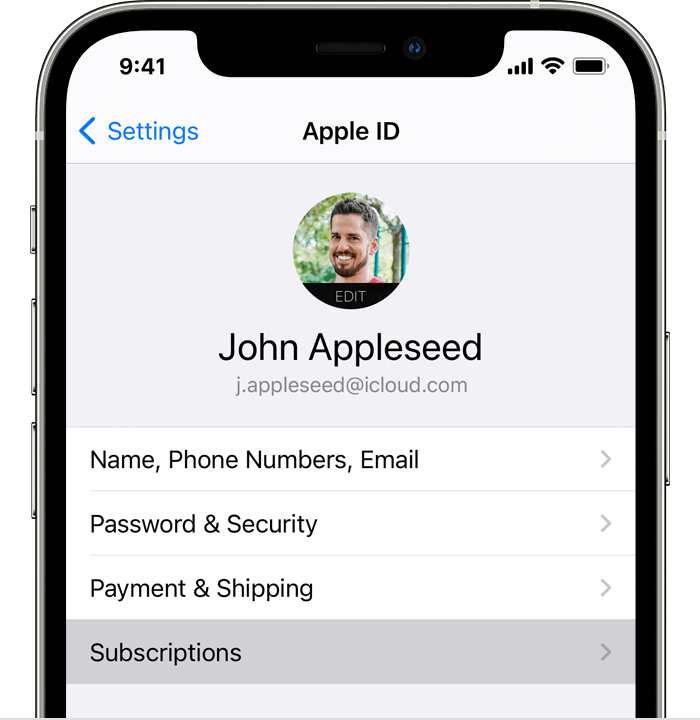
- Tap the SimplyWise subscription.
- Tap Cancel Subscription. If you don’t see Cancel, the subscription is already canceled and won’t renew.