Google Business Profile for Contractors: Complete Setup and Optimization Guide
The free tool that drives more local leads than any paid platform. Here is how to set it up right and keep it working.
Why GBP Matters More Than Your Website
A plumber in Phoenix told me he spent $3,000 on a new website last year. Custom design, professional photos, the whole deal. Then he claimed his Google Business Profile on a Saturday morning in about 40 minutes. Within two months, his GBP was generating three times more calls than the website.
That is not unusual. When someone searches “plumber near me” or “roofing contractor Dallas,” Google shows the Local Pack first. That is the map with three business listings right at the top of the results page. Most people tap one of those three and call. They never scroll down to the organic results where your website lives.
According to Google, 76% of people who search for something nearby on their phone visit a business within 24 hours. Nearly 30% of those searches result in a purchase. Your Google Business Profile is the front door for that entire funnel.
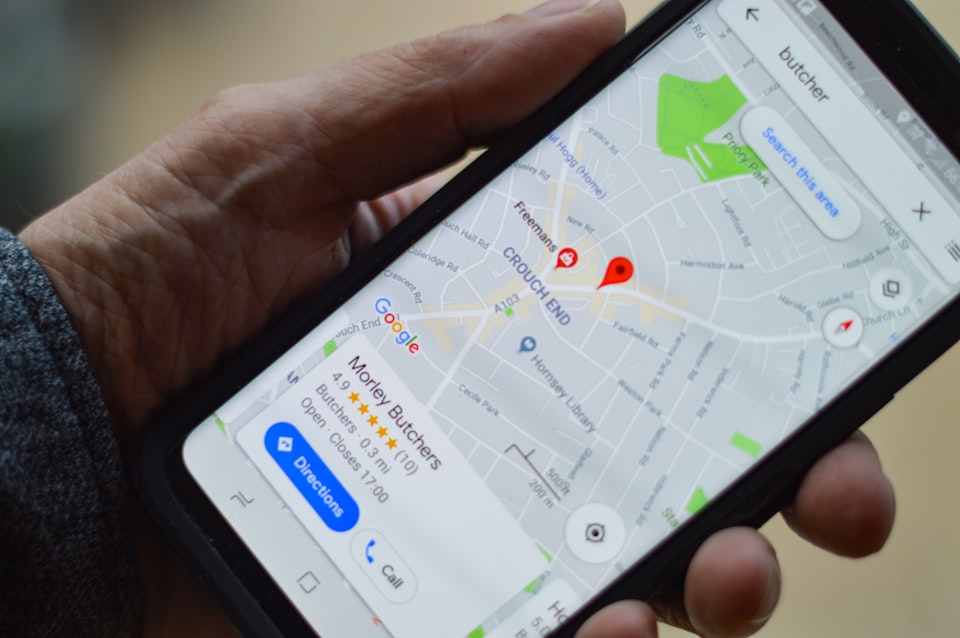
Most homeowners and property managers find their contractor through Google Maps and the Local Pack, not through websites. If your GBP is incomplete, out of date, or does not exist, you are invisible to the majority of people looking for exactly what you do.

Step by Step: Claim, Verify, and Complete Your Profile
Setting up a Google Business Profile takes about an hour if you have your business information handy. Here is every step, in order.
- Go to business.google.com. Sign in with the Google account you want to manage the listing. If you use a personal Gmail, that works fine. You can add other managers later.
- Search for your business. Type your business name. If it already exists (maybe a previous owner created it, or Google generated it from public records), claim it. If it does not exist, click “Add your business to Google.”
- Enter your business name. Use your exact legal business name. Do not add keywords like “Best Roofer in Austin” to your name. Google will suspend listings that stuff keywords into the business name field.
- Choose your business type. Select “Service-area business” if you go to the customer (which covers most contractors). Select “Storefront” only if clients visit your physical location.
- Set your service area. Add every city, county, or zip code where you actively take jobs. Be honest. Claiming a 100-mile radius when you only work within 30 miles dilutes your ranking in your actual service area.
- Choose your primary category. This is the single most important field on your entire profile. Pick the category that best describes your core service. More on categories in the next section.
- Add your phone number and website. Use the phone number you actually answer. If calls go to voicemail and you never check it, that number is costing you jobs. Your website URL should go to your homepage or a dedicated landing page.
- Verify your business. Google needs to confirm you are real. Verification options include phone call, text message, email, video walkthrough, or postcard. Phone and email are fastest. Video verification asks you to record a short walkthrough showing your business location, signage, or equipment. Postcard takes 5 to 14 days.
- Complete every remaining field. After verification, fill in your business hours, business description (750 characters max), services list, and attributes (like “veteran-owned” or “women-led” if applicable). Do not leave any field blank.
- Upload your first batch of photos. Add at least 10 photos before you do anything else. We will cover what photos work best in a later section.
Do not skip verification. An unverified profile will not appear in search results. If the postcard never arrives, request a new one or try video verification instead. Check your spam folder if you chose email verification.
Choosing the Right Categories
Your primary category is the strongest signal Google uses to decide which searches your listing appears in. Get this wrong and you will rank for the wrong searches or not rank at all.
Primary category: be specific
Google offers hundreds of categories. “General Contractor” is a safe default, but if you specialize, a more specific category will outperform it. A remodeling company should choose “Remodeler” over “General Contractor.” A roofing company should choose “Roofing Contractor” over “General Contractor.”
Here are common contractor categories that perform well:
| Specialty | Best Primary Category |
|---|---|
| General contracting | General Contractor |
| Kitchen and bath remodeling | Kitchen Remodeler or Bathroom Remodeler |
| Roofing | Roofing Contractor |
| Electrical | Electrician |
| Plumbing | Plumber |
| HVAC | HVAC Contractor |
| Painting | Painter |
| Landscaping | Landscaper |
| Concrete and masonry | Concrete Contractor |
| Home building | Home Builder |
Secondary categories: cover your bases
You can add up to nine secondary categories. Add every service you genuinely offer. A general contractor might add “Remodeler,” “Home Builder,” “Deck Builder,” and “Bathroom Remodeler” as secondary categories. Only add categories for work you actually do and want to be found for.
What not to do
Do not add categories hoping to cast a wider net. If you are a roofer, adding “Plumber” because you occasionally help with a pipe does not help. It confuses Google about what you actually do and dilutes your ranking for roofing searches. Stick to services that make up a meaningful part of your business.
Your primary category should match what 70% or more of your revenue comes from. Secondary categories cover the rest. Review your categories every six months as your business evolves.
Photos That Win Clicks
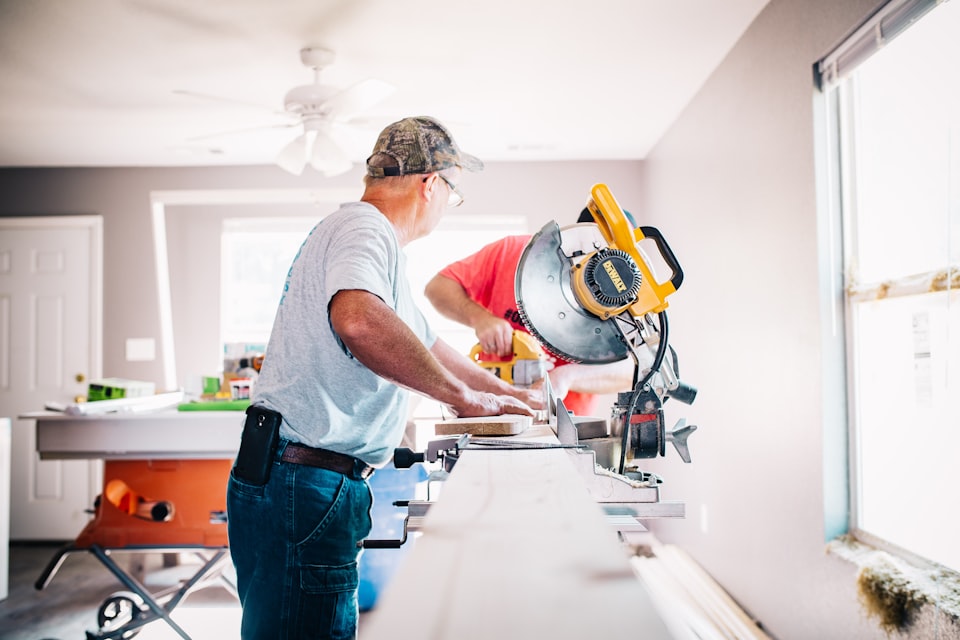
Businesses with photos on their Google Business Profile get 42% more requests for directions and 35% more click-throughs to their website than businesses without photos. Those are Google’s own numbers. Yet most contractor profiles have zero photos or a handful of blurry phone shots from 2019.
What to photograph
- Before and after shots. These are your strongest conversion tool. Stand in the same spot, same angle, and show the transformation. Kitchens, bathrooms, exteriors, and decks all photograph well.
- Work in progress. Framing, rough-ins, concrete pours, tile layout. These show competence and professionalism to anyone browsing your profile.
- Your team on the job site. People hire people, not logos. A photo of your crew working shows you have a real team and a real operation.
- Your truck and equipment. A wrapped truck, organized tools, and clean equipment signal professionalism. This is often the first impression a potential client gets.
- Close-up details. Tight miters, clean caulk lines, perfect tile grout, smooth drywall finish. These catch the eye of quality-focused homeowners.
Photo tips that matter
- Use natural light. Open blinds, turn on all the lights, and shoot during the day. Dark, shadowy photos look unprofessional.
- Landscape orientation. Horizontal photos display better on GBP than vertical ones.
- Clean the space. Sweep the floor, move the trash bags, and clear the tools out of the shot for “after” photos.
- Minimum 10 photos to start. Then add 2 to 3 new photos every week. Google rewards profiles that are regularly updated with fresh content.
Make it a habit to take three photos at every job site: one before, one during, and one after. In a month you will have enough content to keep your profile fresh for weeks.

Getting and Responding to Reviews
Reviews are the second most important ranking factor for the Local Pack, right behind your primary category. But they do double duty: they also convince people to call you instead of the other two contractors in the results.
The five-review threshold
Google does not display your star rating until you have at least five reviews. Until then, your listing shows no stars at all. A profile with no rating next to one with 47 reviews and a 4.8-star average is not getting the click. Getting to five reviews should be your first priority after completing your profile setup.
How to ask for reviews without being awkward
- Ask during the final walkthrough. The client is standing in their new kitchen or looking at a finished roof. They are happy. That is the moment. “Hey, we really appreciate the project. If you get a chance, a quick Google review would mean a lot to us.”
- Send a direct link. From your GBP dashboard, generate a short review link. Text it to the client right there. The fewer steps between “sure” and a submitted review, the more reviews you will get.
- Follow up once. If they did not leave a review within a few days, send one follow-up text. Keep it personal and short. Do not ask more than twice total.
- Add a link to your invoice or receipt. A line that says “Enjoyed working with us? Leave a quick review” with your link gives every completed job a chance to convert into a review.
Responding to every review
Respond to every single review, positive and negative. For positive reviews, thank them by name and mention something specific about the project. For negative reviews, wait 24 hours before responding. Acknowledge their experience, avoid getting defensive, and offer to resolve it offline. Future clients will read how you handle criticism, and a professional response to a negative review can actually build trust.
Get to five reviews as fast as possible. Then aim for two to three new reviews per month. After a year, you will have 25 to 40 reviews, which puts you ahead of most local competitors.

Google Posts: Free Mini-Ads Most Contractors Ignore
Google Posts are short updates that appear directly on your Business Profile in search results. Think of them as free social media posts that show up in Google. Most contractors have never used this feature, which means you can stand out simply by showing up.
What to post
- Completed project updates. “Just finished a complete kitchen remodel in [neighborhood]. New cabinets, quartz countertops, and custom tile backsplash.” Add a photo.
- Seasonal tips. “Winter is coming. Here are three things every homeowner should check before the first freeze.” This positions you as helpful and knowledgeable.
- Offers and promotions. “Booking spring deck builds now. Call for a free estimate.” Google Posts support a call-to-action button.
- Behind the scenes. “Our crew installing custom steel beams today. This is what it looks like when you remove a load-bearing wall the right way.” These are interesting and demonstrate expertise.
How often and how long
Post at least once a week. Google Posts expire after seven days, so if you post every Monday morning, your profile always has something fresh. Posts take about five minutes. Snap a photo on the job, write two sentences, and publish from your phone.
Why it helps your ranking
Google rewards active profiles. Regular posting signals that your business is alive and engaged. It also gives potential clients more to look at when they find your listing. A profile with recent posts, fresh photos, and a complete description feels trustworthy. A profile with nothing but a phone number does not.
Set a weekly reminder on your phone: “GBP Post Monday 7 AM.” One photo and two sentences. That is all it takes to stay ahead of 90% of your local competitors who never post at all.
Common GBP Mistakes That Cost You Leads
Setting up a Google Business Profile is straightforward, but these mistakes are surprisingly common. Any one of them can tank your visibility or send potential clients to a competitor.
- Incomplete profile. A half-filled profile tells Google you are not a serious business. Fill in every field: hours, description, services, attributes, and photos. A 100% complete profile ranks significantly better than a 60% complete one.
- Wrong primary category. A bathroom remodeler listed as “General Contractor” is invisible for “bathroom remodeler near me” searches. Be specific about what you actually do.
- Keyword stuffing the business name. Listing your business as “Mike’s Roofing | Best Roofer Dallas | Affordable Roof Repair” instead of “Mike’s Roofing LLC” violates Google’s guidelines. Your listing can be suspended without warning.
- Ignoring reviews. Not responding to reviews, especially negative ones, signals to both Google and potential clients that you do not care about customer experience.
- Inconsistent business information. If your GBP says one phone number, your website says another, and Yelp says a third, Google loses confidence in all your listings. NAP consistency (name, address, phone) matters everywhere.
- Never adding new photos. Uploading 10 photos once and never touching it again tells Google your profile is stale. Add new photos regularly.
- Using a home address when you do not need to. Service-area businesses do not need to display an address. Showing your home address can look unprofessional and raises privacy concerns.
- Setting it and forgetting it. GBP is not a one-time setup. It needs regular attention: weekly posts, fresh photos, new reviews, and updated service lists as your business evolves.
Open your GBP right now and check: is every field filled in? Are your hours current? Do you have at least 10 photos? Is your primary category the most specific option available? Fixing these basics can produce results within weeks.
How GBP Feeds Into Google Maps and the Local Pack
Your Google Business Profile is the data source behind two of the most valuable real estate in search: Google Maps and the Local Pack. Understanding how they work helps you optimize for both.
The Local Pack
When someone searches “contractor near me” or “roofer in Houston,” Google shows a map with three business listings right at the top of the results. This is the Local Pack. It appears above all organic website results, which means the three businesses in that box get the majority of clicks for local searches.
What determines who gets in
Google uses three main factors to rank Local Pack results:
- Relevance. How well does your profile match what the person searched for? This is where your categories, services, and business description matter.
- Distance. How close is your business (or service area) to the searcher? You cannot control this, but setting accurate service areas helps.
- Prominence. How well known and trusted is your business online? Reviews, citations, backlinks, and overall web presence all contribute to prominence.
Google Maps
Google Maps pulls directly from GBP data. When someone opens Maps and searches for a contractor, your listing shows your business name, rating, number of reviews, photos, hours, and phone number. Many people search Maps directly, especially on mobile. A strong GBP means you look great in both search results and Maps.
The connection to your website
Your GBP links to your website, and Google looks at your website to verify and enrich the information on your profile. A website that mentions the same services, same cities, and same contact information reinforces everything on your GBP. They work together. Neither one alone is as effective as both aligned.
Think of your GBP as the engine that powers your Google Maps and Local Pack visibility. Every improvement you make to your profile directly impacts how you appear in the two places where most local clients start their search.
Frequently Asked Questions
Turn Local Leads Into Signed Jobs Faster
When your optimized GBP starts driving calls, you need estimates ready fast. SimplyWise generates cost estimates from a photo in 6 seconds so you can respond before the competition even picks up the phone.